Merging two graphs
So far we have always built a pangraph from scratch, starting from a set of sequences. The merge command takes a different route: it combines two graphs that already exist into a single one.
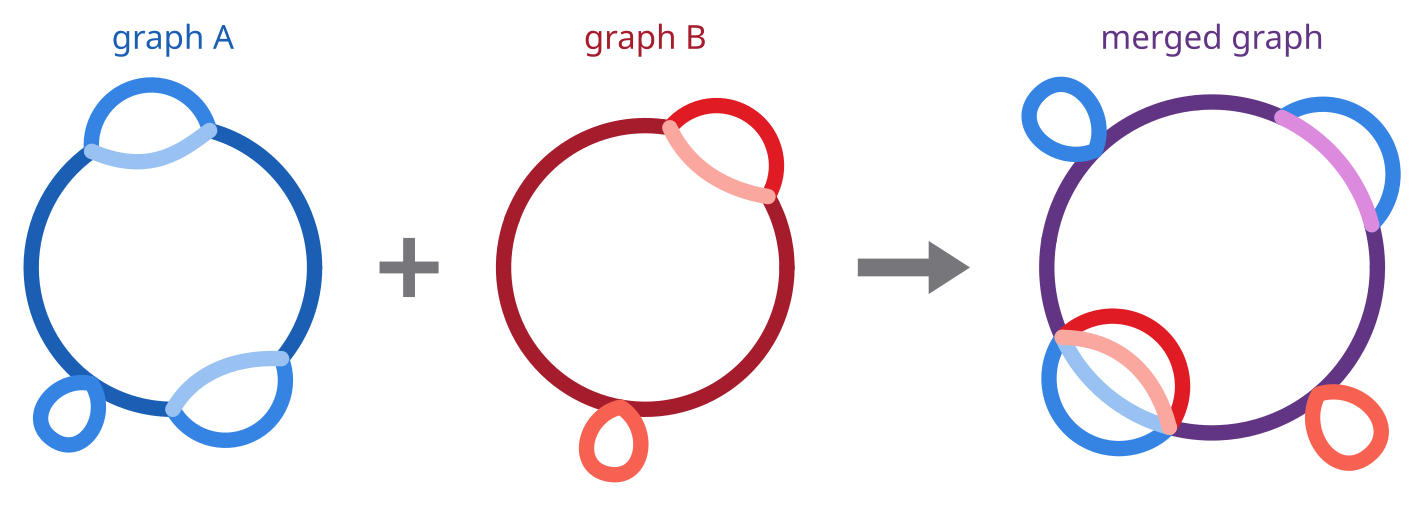
Extending an existing graph
The typical use is augmenting a graph. If you have already built a graph for a collection of strains, and a new assembly becomes available, you can build a small graph for the new strain and merge it into the existing one, rather than rebuilding everything from the full set of sequences.
As an example, we extend the 10-genome E. coli graph from the first tutorial with the reference strain K-12 MG1655. We first download its chromosome from NCBI:
curl -L "https://eutils.ncbi.nlm.nih.gov/entrez/eutils/efetch.fcgi?db=nuccore&id=NC_000913.3&rettype=fasta&retmode=text" -o NC_000913.fa
and turn it into a graph of its own. A graph can be built from a single sequence, in which case it simply contains one path and one block:
pangraph build --circular NC_000913.fa -o k12.json
The two graphs can then be merged:
pangraph merge graph.json k12.json -o graph_11.json
The resulting graph_11.json contains 11 paths: the 10 genomes of graph.json, in their original order, followed by K-12. Adding the eleventh chromosome created comparatively few new blocks (2896 -> 2943): most of it was absorbed into blocks that already existed.
On a consumer laptop the merge takes around 20 seconds, against the roughly 3.5 minutes needed to build the 10-genome graph in the first place.
merge of the graphs built from two sets of genomes generally does not give the same exact graph as build on the union of those genomes: homology is discovered in a different order, so the two graphs might be partitioned into blocks slightly differently. Block counts and boundaries might differ, but overall the two graphs will be very similar.